

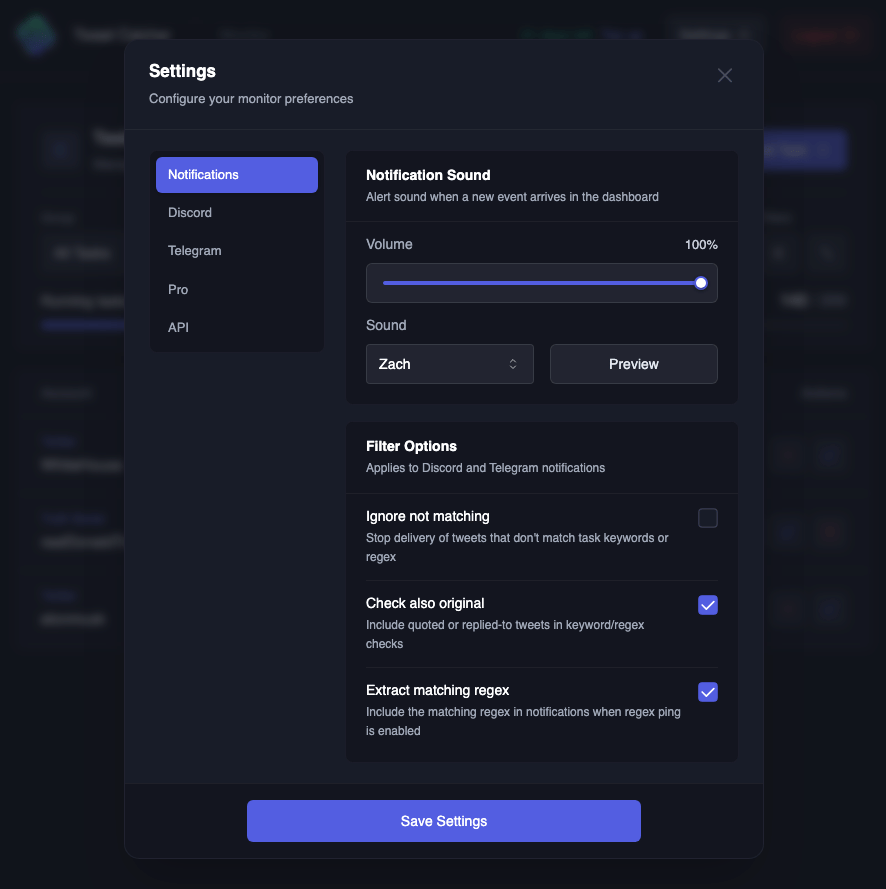
Only the account owner can change settings. Team members do not see the Settings button
Notifications
Notification sound
Plays in the dashboard when an event arrives. Pick a sound, set the Volume, and click Preview to hear itFilter options
These switches apply to Discord and Telegram notifications on tasks that use ping keywords or a regexDiscord
Telegram
Turn on Enable message buttons to add buttons under each Telegram notification, then choose which to show:- View Post
- View Profile
- Copy Post Link
- Copy Username
Pro
These controls are exlusive to Pro usersTranslations arrive as a separate event,
twitter.post.translate or truth_social.post.translate. Micro events are never translatedAPI
Pro only. The text area holds your API key, used by the REST API and the WebSocket. You do not need a running WebSocket task to use it- Copy API Key copies the key to your clipboard
- Reset API Key issues a new key
Troubleshooting
My changes were lost
My changes were lost
Make sure to hit Save Settings before closing the dialog
Pro controls are greyed out
Pro controls are greyed out
Your account is not on Pro. See Plans to upgrade
My WebSocket client disconnected after I reset the key
My WebSocket client disconnected after I reset the key
That is expected. Reconnect using the new key