

Base
From €58/month30 running tasks with Discord and Telegram delivery
Pro
From €249/month200 running tasks, faster delivery, Webhook, WebSocket, API, and teams
Enterprise
Custom pricingUnlimited running tasks, a custom setup, and priority support
“From” prices are the 6-month plan shown per month. 1-month and 3-month plans are also available
Compare plans
The task limit counts running tasks only. You can keep as many stopped tasks as you like
Replies from
@grok cannot be delivered to Discord or Telegram. To receive them, use Webhook or WebSocket on ProAdd-ons
Extra tasks
Extra tasks
Extra task slots stack on top of your plan limit. The dashboard shows the combined total as 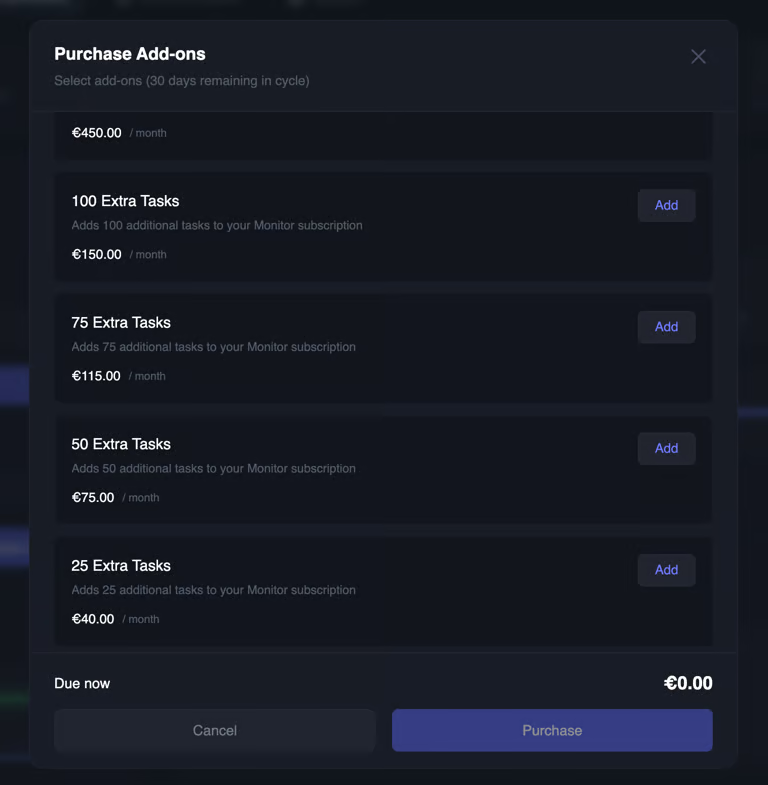
running / limitYou can buy extra tasks in packs of 25, 50, 75, 100, 300 or 500 slots, from your DashboardTwitter Global
Twitter Global
Twitter Global monitors keyword queries across all of X instead of specific accounts. It uses its own quota, separate from your account task limitPacks come in 1, 3, or 5 units. Each running query costs one unit per 256 characters:
If you own more than one pack, each query must fit inside a single pack. Packs are not merged into one pool
Enterprise
Enterprise includes every Pro feature with custom task limits, a setup tailored to your workflow, and priority support. Contact us to get startedMove from Whop to a Tweet Catcher account
If you bought through Whop, you can move your tasks, and settings to a Tweet Catcher dashboard account at monitor.tweet-catcher.com/migrate. We are discountinuing Whop support, so it’s highly recommended to perform the migratione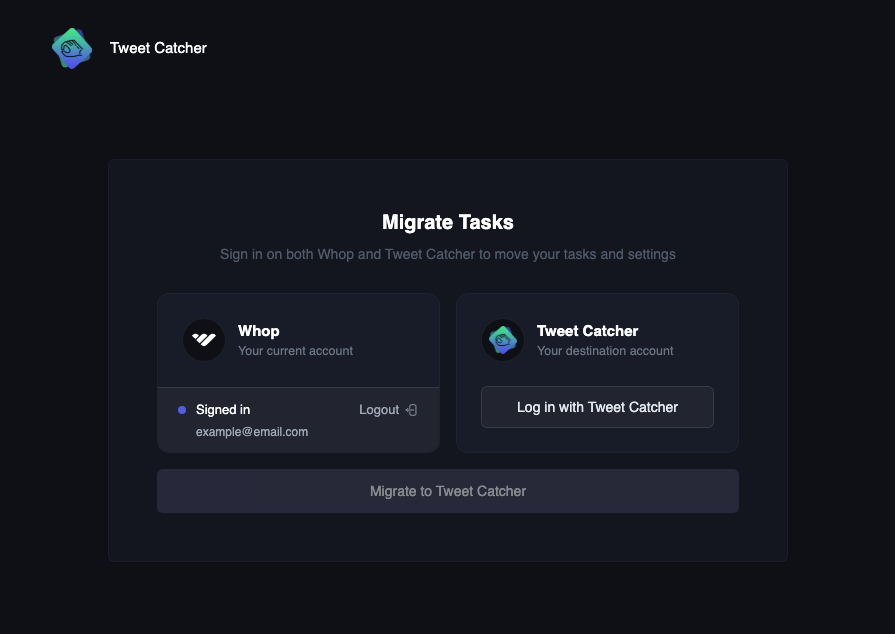
1
Sign in on both sides
Click Log in with Whop for your current account, then Log in with Tweet Catcher for the destination account
2
Confirm the migration
Click Migrate to Tweet Catcher and confirm
3
Sign in with Tweet Catcher from now on
Migration Complete takes you back to the monitor. From now on, sign in with Tweet Catcher instead of Whop
Membership is not automatically transferred. If you still have an active Whop subscription, you can ask us to transfer it to a Tweet Catcher account
To perform the migration there must be no running tasks, for this reason we suggest to do that on renewals, or you can ask us to stop and restart all the tasks for you